
Free Answer Generator
Generate clear answers in the exact format you need, from concise responses to detailed explanations and step-by-step breakdowns. Add context, audience, tone, and format guidance to create answers for homework help, FAQs, support replies, research tasks, and content pages.
Answer
Your answer will appear here...
How the AI Answer Generator Works
Get results in seconds with a simple workflow.
Enter Your Question
Type a clear question. You can paste a prompt from a user, a customer ticket, or an FAQ idea for SEO content.
Add Context and Choose a Format
Optionally add background details, then choose an answer type, tone, language, and length to match your audience and platform.
Generate and Refine
Get an answer instantly, then refine by adding constraints, requesting examples, or switching modes (Direct, Detailed, Step-by-Step, or FAQ-style).
See It in Action
Example of turning a broad question into a structured, SEO-friendly answer with actionable steps.
Question: How do I improve E-E-A-T for SEO?
Context: (none)
Direct answer: Improve E-E-A-T by demonstrating real expertise, adding author credibility, using trustworthy sources, and strengthening site-wide trust signals.
H2: What E-E-A-T Means (Experience, Expertise, Authoritativeness, Trust)
- Why Google cares about credibility and usefulness
H2: Practical Ways to Improve E-E-A-T on a New Site
- Add author bios with relevant credentials and real experience
- Publish original examples, screenshots, or case studies
- Cite reputable sources and keep content updated
- Create clear About, Contact, and editorial policy pages
- Earn relevant backlinks and mentions (quality over quantity)
H2: Common Mistakes
- Thin content with no unique insight
- Anonymous authorship on YMYL topics
Summary: Start by adding authorship, real examples, and transparent trust pages, then improve authority over time with high-quality content and legitimate mentions.
Why Use Our AI Answer Generator?
Powered by the latest AI to deliver fast, accurate results.
Instant Answers With a Clear, Correct First Line
Generates a direct answer up front, then adds the right amount of context so users get clarity fast—ideal for FAQs, support replies, and learning topics.
Multiple Answer Formats (Short, Detailed, Step-by-Step, FAQ)
Choose the output style you need—concise responses, detailed explanations, actionable steps, or SEO-friendly FAQ formatting for web pages and knowledge bases.
Context-Aware Responses
Uses your optional context (audience, constraints, goals) to tailor the answer so it’s more accurate and practical—reducing generic, one-size-fits-all output.
Readable Structure for SEO and User Experience
Creates scannable answers with clean sections and simple language—useful for on-page SEO, featured snippet optimization, and higher time-on-page.
Multilingual Answer Generator
Generate answers in many languages for international audiences, multilingual support docs, and localized SEO content.
Pro Tips for Better Results
Get the most out of the AI Answer Generator with these expert tips.
Ask for constraints to get better answers
Include specifics like budget, tools, experience level, deadline, and what you’ve already tried. Constraint-based prompts produce more actionable, less generic output.
For SEO, lead with a 1–2 sentence direct answer
A concise first paragraph improves readability and can help optimize for featured snippets and FAQ rich results (when paired with proper on-page formatting).
Add an example to reduce ambiguity
If a question could be interpreted multiple ways, include a short example (your scenario, numbers, or a sample input). This improves relevance and accuracy.
Verify claims for medical, legal, or financial topics
Use the generated answer as a draft. For sensitive topics, validate details with authoritative sources or a qualified professional before publishing or acting.
Turn good answers into reusable knowledge base articles
Save the best responses as templates, then standardize them with your brand voice, internal links, and product-specific steps for faster support and better SEO.
Who Is This For?
Trusted by millions of students, writers, and professionals worldwide.
Generate Clear Answers with an AI Answer Generator
An AI Answer Generator is a fast way to turn a question into a usable response. Not just a vague paragraph, but something structured in a way you can publish, send, or study from.
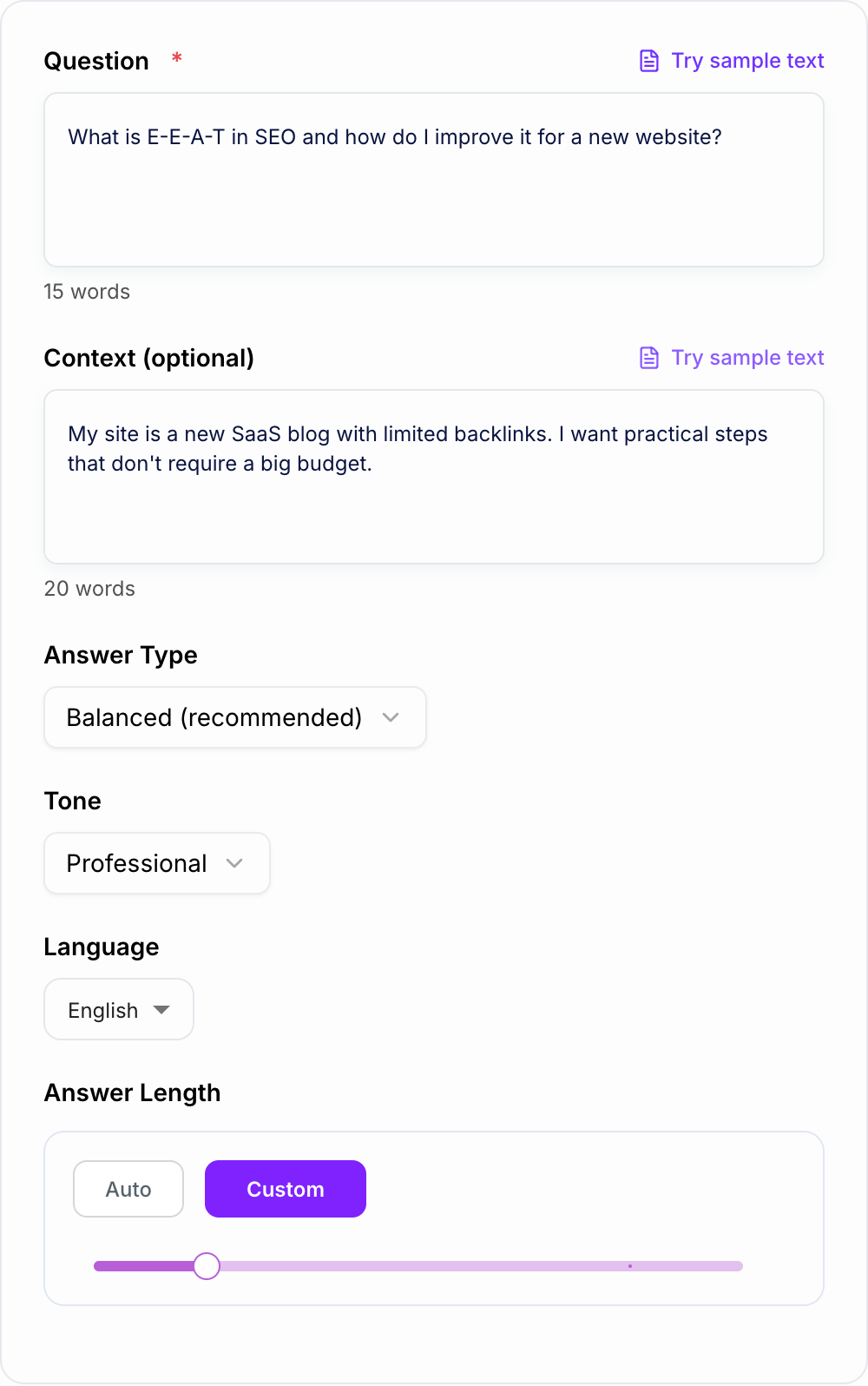
The best part is control. You can decide if you want:
- a short direct answer for speed
- a step by step breakdown for doing something
- a detailed explanation for learning
- an FAQ style response for SEO pages and help docs
- a support ready reply that sounds human, not robotic
That matters because the same question asked in different places needs a different kind of answer. A customer ticket is not a blog FAQ. A homework prompt is not a product page.
What to Enter for Better Generated Answers
Most “AI gave me a generic answer” problems come from the input being too thin.
Here is a simple formula that works surprisingly well before you generate:
Question + context + constraints + target format
Try adding details like:
- Who is this for? (beginner, buyer, student, client)
- Where will you use it? (FAQ section, email reply, help center, Quora)
- Any limits? (no budget, no code, 10 minutes, only free tools)
- What you already tried (so the answer does not repeat obvious stuff)
- Your goal (rank for SEO, reduce tickets, understand a concept)
Even 2 lines of context can change the output a lot.
Use the Answer Generator for SEO FAQs Without Making Them Feel Generic
If you are writing FAQs for a landing page, product page, or a blog post, the goal is not “long”. It is “clear”.
A good SEO FAQ answer usually looks like this:
- Direct answer in 1 to 2 sentences
- One or two short sections that clarify the why or how
- A quick example, checklist, or next step
- Optional mini summary
A small tip that’s easy to miss. If you want FAQ content to perform, make it match real search intent. People Also Ask style questions. Support ticket language. The messy, real way users ask things.
After you generate, add your brand specifics, internal links, proof, screenshots, or firsthand experience. Even one concrete detail can make the answer feel less generic.
A Few Real World Ways People Use This Tool
Common misses with the Answer Generator:
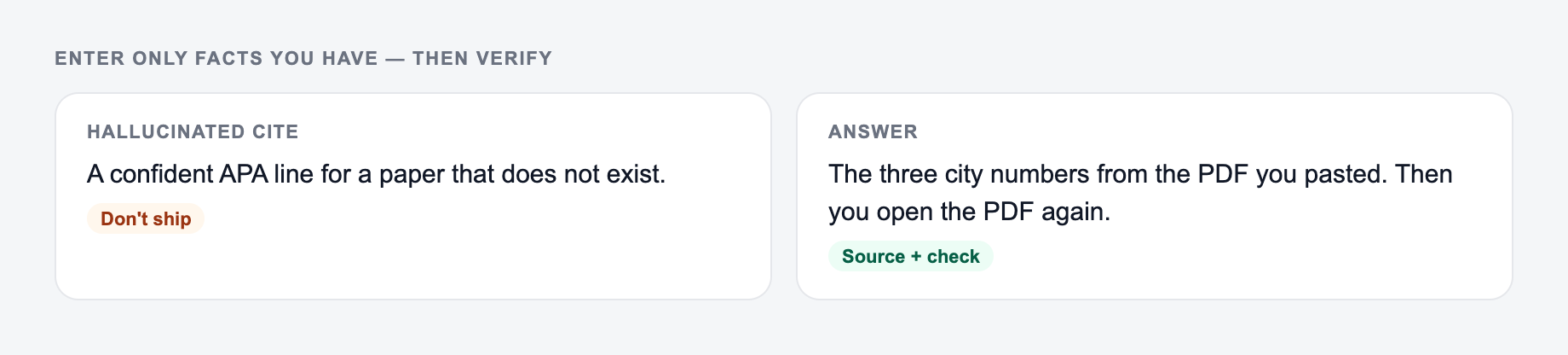
- Describing the file instead of pasting it.
- Running one setting across mixed formats.
- Pasting live customer or student data “to see what happens.”
Some common (and actually practical) uses:
- Turning “People Also Ask” questions into publishable FAQ answers
- Drafting knowledge base replies that support agents can reuse
- Writing clear explanations for students that do not skip steps
- Creating snippet friendly answers that lead with the conclusion
- Converting internal team questions into lightweight SOPs and checklists
If the answer needs to become a longer page, support article, or content brief, move from the generated answer into a broader drafting workflow. Junia AI is useful for expanding a clear answer into publishable content while keeping the original question and search intent visible.
Quick Prompt Templates You Can Copy
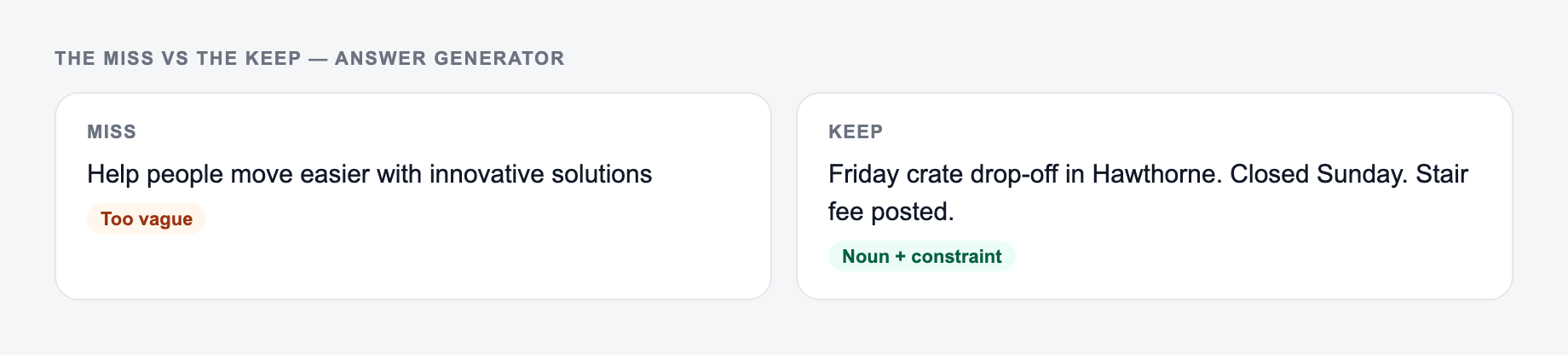
If your input looks like the miss, do not judge the tool yet — add the noun and the constraint first.
1) FAQ answer for a landing page
“Answer this question in an SEO friendly FAQ format. Start with a 2 sentence direct answer, then add 2 short sections with scannable headings. Keep it accurate and practical. Question: ____. Context: ____.”
The real question and who will read the answer belong on the form.
In: A one-line request like “run the answer generator” with no audience, channel, or constraint.
Out you can keep: A brief the AI Answer Generator can use: who it is for, where the output will appear, and what must stay true.
If the AI Answer Generator invents a column, a timestamp, or a rule you did not state, treat that as a miss.
2) Step by step help doc answer
“Write a step by step guide with prerequisites, steps, and common mistakes. Assume the reader is a beginner. Question: ____. Constraints: ____.”
3) Customer support reply
“Write a support reply that is empathetic and clear. Include next steps and ask up to 2 clarifying questions only if needed. Ticket: ____. Product details: ____.”
Review the Generated Answer Before You Use It
Even when the answer is good, do a quick pass before publishing:
- check claims (especially medical, legal, financial)
- add your specific tools, policies, or product steps
- remove anything that feels fluffy
- tighten the first 2 sentences so they are strong and direct
That small edit is usually the difference between “AI content” and “this is actually helpful.”
Frequently Asked Questions
Is this AI Answer Generator free to use?+
Yes. You can generate answers for free. Some advanced modes (like Expert Depth or Customer Support Reply) may be marked as premium depending on your plan.
How do I get the most accurate answer?+
Ask a specific question and add relevant context (your goal, audience, constraints, tools, and what you’ve tried). The more precise the input, the more tailored and useful the answer will be.
Can I use the answers for SEO FAQs on my website?+
Yes. The tool can produce SEO-friendly FAQ answers that are concise and scannable. For best results, add real brand details, internal links, and verify claims before publishing.
Will it cite sources or provide references?+
It can suggest what to verify and where to look, but it may not always provide verifiable citations by default. If you need sources, include that in your question or context and double-check before using publicly.
Can it write answers in different tones and languages?+
Yes. Choose a tone (friendly, professional, formal, etc.) and an output language to match your audience and channel (support, education, marketing, or documentation).
How do I avoid generic AI answers?+
Provide constraints and specifics (industry, audience, examples, tools, location, budget, and success criteria). After generating, add your firsthand experience, unique data points, and internal links for stronger E-E-A-T.