
Free Birthday Card Creator
Create personalized birthday card messages for friends, family, partners, coworkers, and clients. Choose the relationship, tone, format, and details to generate funny, heartfelt, short, or professional birthday wishes in seconds.
Birthday Message
Your birthday card message will appear here...
How the AI Birthday Card Creator Works
Get results in seconds with a simple workflow.
Choose Recipient and Style
Pick the relationship (friend, partner, coworker, etc.) and choose whether you want a birthday card message, text, caption, or email.
Add Optional Personal Details
Include the recipient’s name and a few details like their age, a shared memory, what you admire about them, or a fun inside joke to make the birthday wish unique.
Select Tone, Language, and Length
Choose the tone (funny, heartfelt, formal), set the language, and pick message length—then generate a polished birthday greeting in seconds.
See It in Action
Turn a generic happy birthday wish into a personalized birthday card message with details, warmth, and the right tone.
Happy birthday! Hope you have a great day.
Happy birthday, Maya! I’m so grateful for you—thanks for always showing up with your steady support and your sense of adventure. Here’s to more weekend hikes, big laughs, and an amazing new year ahead.
Why Use Our AI Birthday Card Creator?
Powered by the latest AI to deliver fast, accurate results.
Personalized Birthday Card Messages
Create a custom birthday message using the recipient’s name, relationship, and specific details—so it feels genuine, not generic.
Multiple Styles: Card, Text, Caption, or Email
Generate birthday wishes for a physical card, quick SMS, Instagram caption, or a longer email note—each formatted appropriately.
Funny, Heartfelt, or Professional Tones
Choose a tone that fits the moment: sweet and sincere, light and funny, or workplace-appropriate for coworkers, clients, and managers.
Original Wording (No Copy-Paste Clichés)
Produces fresh, natural-sounding birthday greetings and wishes while avoiding overly generic phrases and repetitive clichés.
Multilingual Birthday Wishes
Write happy birthday messages in many languages for international friends, family, and colleagues—great for multilingual messaging.
Pro Tips for Better Results
Get the most out of the AI Birthday Card Creator with these expert tips.
Use one specific detail to avoid generic birthday wishes
Mention a shared memory, a trait you appreciate, or something they’re looking forward to this year. One concrete detail makes the message feel handwritten.
Keep workplace birthday messages warm but neutral
For coworkers, managers, or clients, avoid overly personal references. A simple note of appreciation plus a positive wish is ideal.
Funny works best when it’s kind
Aim for playful humor rather than teasing. Avoid sensitive topics like age, appearance, relationships, or health unless you know it’s welcome.
Match the length to the channel
Short messages work best for SMS and captions; medium or long messages are better for a card or email where a more thoughtful note fits.
Generate 2–3 variations and pick the best line
Create a few options, then combine the best opener from one version with the best closing line from another for a perfect final message.
Who Is This For?
Trusted by millions of students, writers, and professionals worldwide.
Create a Birthday Card Message That Sounds Like You
The AI Birthday Card Creator helps with the hardest part of a birthday message: turning a feeling into words that fit the person. Instead of copying a generic line, you give the tool the recipient, relationship, tone, and a few details, then it generates a birthday wish you can use in a card, text, caption, or email.
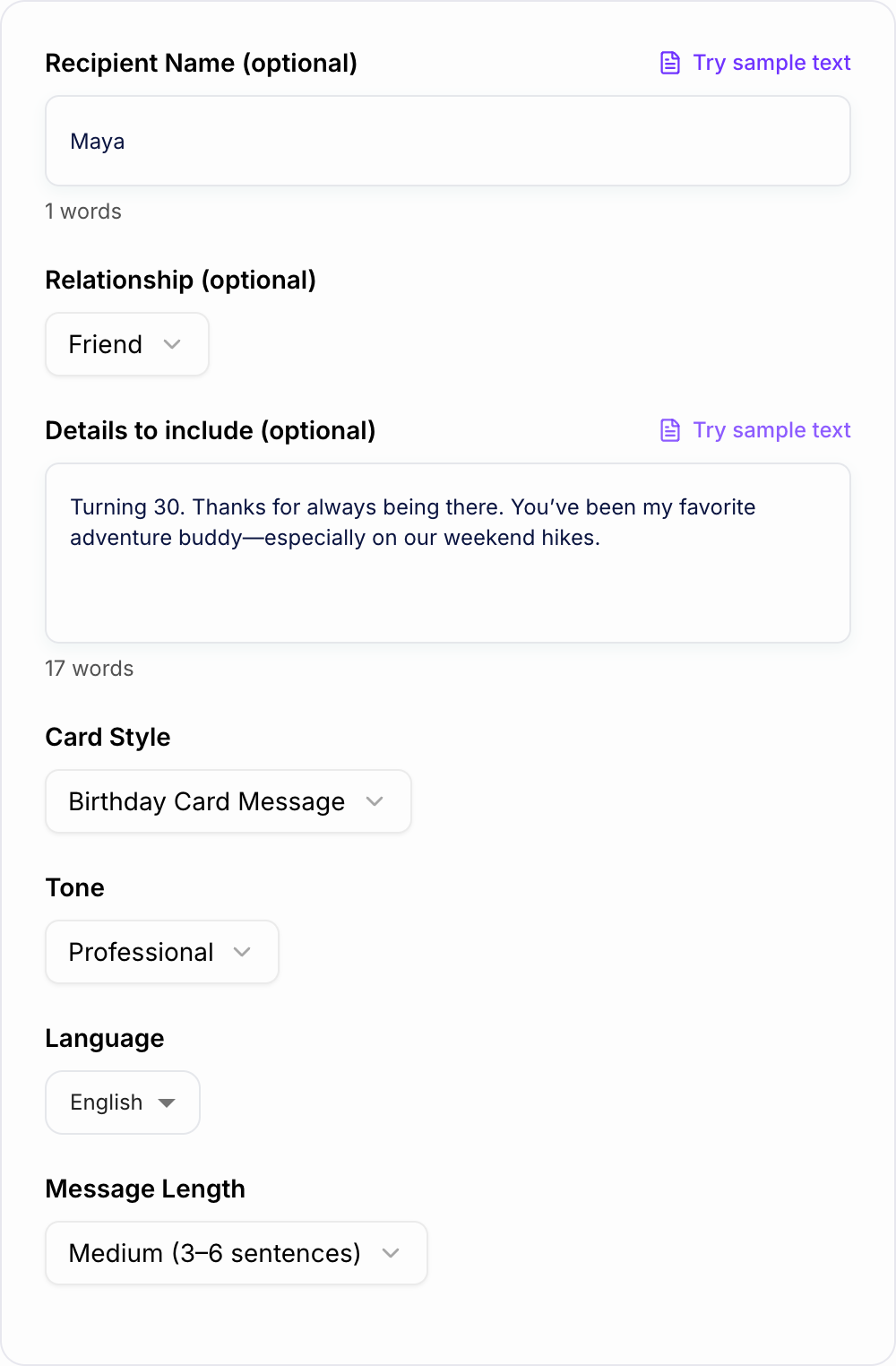
The goal is not to make every message long. A good birthday note can be one sentence if it has the right detail. The creator gives you a draft so you can stop staring at the blank card and start choosing the version that feels closest to what you mean.
What to Enter Into the Birthday Card Creator
Start with the recipient and relationship. "My coworker" needs a different tone than "my sister" or "my partner."
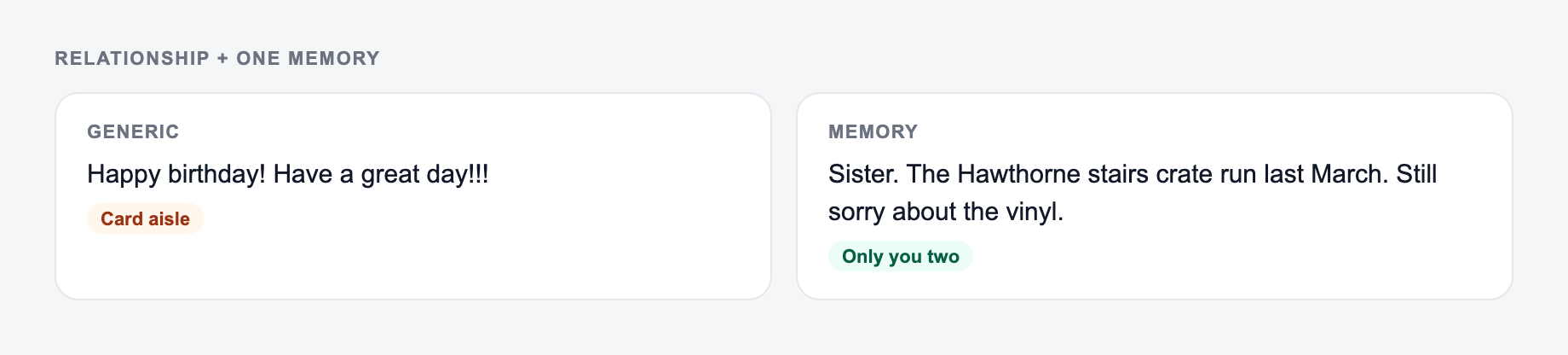
Then add one detail. It can be a shared memory, a personality trait, a habit, a milestone, or something you hope for them this year. A tiny detail makes the generated birthday message feel personal.
Good inputs include:
- "My best friend, our coffee runs, her dry humor, and how she always checks in."
- "My dad, grateful for his advice and support, keep it warm but not too emotional."
- "My manager, professional and friendly, mention appreciation for her leadership."
- "My partner, romantic but simple, mention how peaceful life feels with them."
If you want humor, describe the safe version of the joke. The tool can be playful, but age, appearance, money, and relationship jokes can land badly.
Choosing the Right Birthday Message Format
Use Heartfelt Card when you want a message for a physical card or longer note. This format gives the message room to include gratitude, a wish, and a closing line.
Use Funny Birthday Message when the relationship already has playful humor. Keep the details kind and specific so the joke feels affectionate.
Use Short Text for SMS, DMs, and last-minute messages. A short birthday text still works best when it includes one personal phrase.
Use Professional Note for coworkers, bosses, clients, or business contacts. The message should be warm but not overly familiar.
How to Make the Generated Message More Personal
After the tool generates a draft, look for one line that feels true and build around it. You do not have to keep the whole output.
Your relationship plus one shared memory beats “write a birthday message.”
Add a name or nickname only if you would naturally use it. Replace broad compliments with specific ones. "You always make people feel included" is stronger than "you are amazing."
If the message sounds too polished, simplify it. Birthday cards often feel better when they sound like a real person, not a formal speech.
For handwritten cards, you can add one final line in your own words after the generated message. That small human ending often makes the whole card feel warmer.
Common Birthday Message Mistakes to Avoid
Do not make the whole message about age unless the recipient enjoys that joke. Do not mention appearance, money, breakups, family conflict, or anything they would not want others to read.
Avoid forcing a sentimental tone if the relationship is casual. A simple, kind note is better than a dramatic message that does not fit.
Also avoid writing too much for a channel that needs to be short. A text message should not read like a greeting card unless that is already your style.
Final Review Before Sending
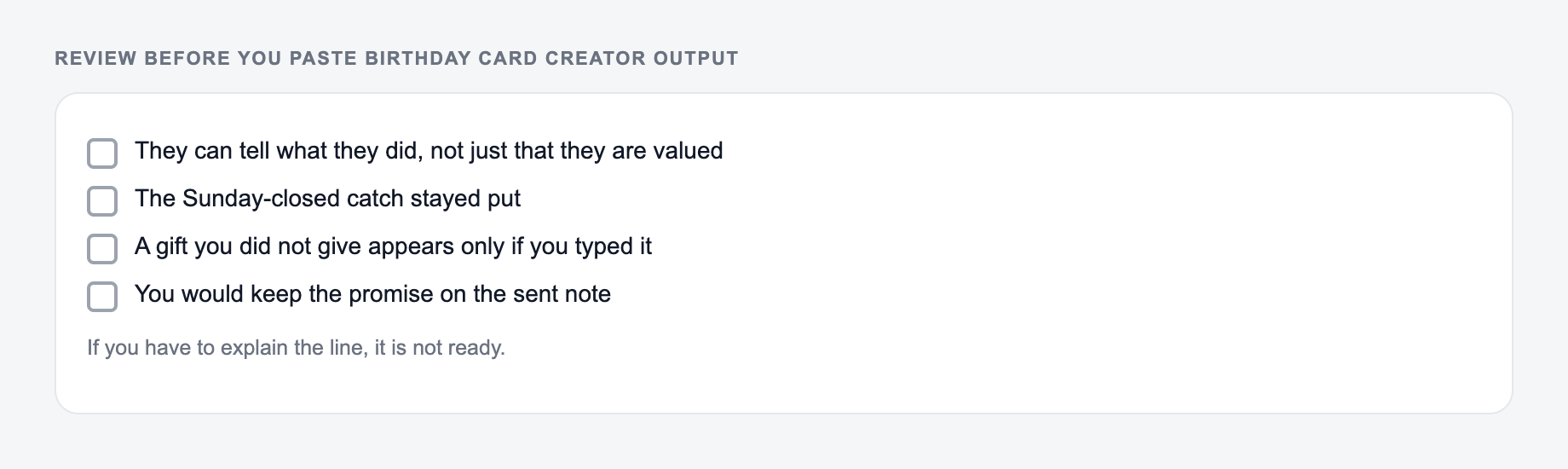
Before you write or send the generated birthday message, check:
- The relationship and tone match the recipient.
- The message includes at least one specific detail when appropriate.
- The humor is kind and easy to understand.
- The format fits the channel: card, text, social post, or email.
- The message sounds like something you would actually say.
If you want several options, generate a few versions and combine the best lines. Junia AI's AI writing tools can help create variations quickly, but the strongest birthday message usually comes from adding one real detail only you would know.
Frequently Asked Questions
Is this birthday card creator free to use?+
Yes. You can generate personalized birthday card messages for free. Some specialized modes (like Romantic) may be marked as premium depending on your plan.
How do I make the birthday message feel more personal?+
Add one or two specifics in the details box—an inside joke, a shared memory, what you appreciate about them, or something they’re excited about this year. Specific details make the message feel truly custom.
Can I generate a professional birthday message for work?+
Yes. Choose a professional tone and select coworker, boss, or client. The tool will keep the message warm, polite, and workplace-appropriate.
Will the tool write a short birthday message?+
Yes. Select the “Short” length for a 1–2 sentence happy birthday wish that still sounds thoughtful and natural.
Can I create funny birthday card messages without being offensive?+
Yes. The Funny mode is designed to keep humor light and friendly while avoiding sensitive topics, insults, or embarrassing jokes.
What languages does the birthday message generator support?+
You can generate birthday wishes in many languages. Select your output language to create localized birthday greetings and messages.