
Notion AI Alternatives: 9 Tools That Actually Replace It (By Use Case)

Yi
SEO Expert & AI Consultant

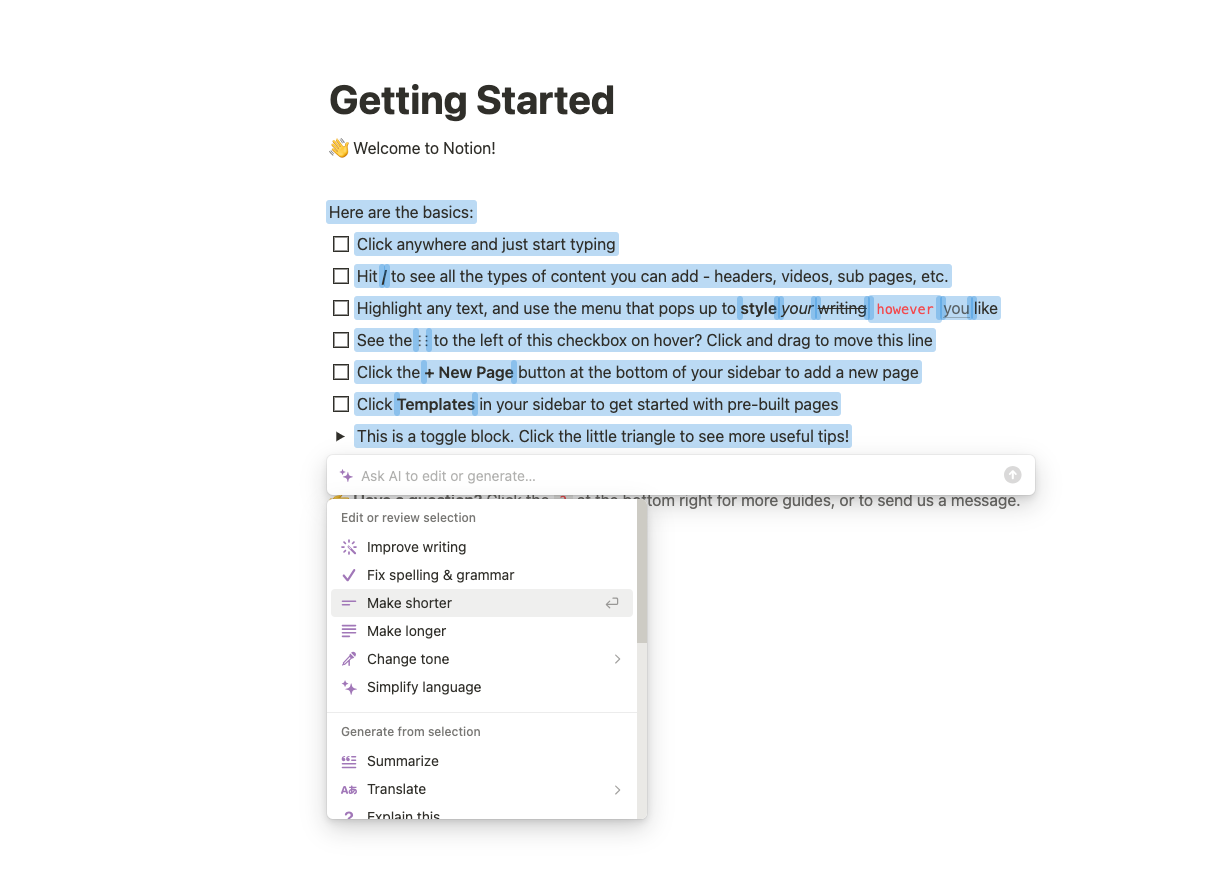
Notion AI is useful if your work already lives inside Notion. It can draft text, summarize pages, answer questions from your workspace, help with meeting notes, and now handle more agent-style tasks inside the Notion ecosystem.
But that is also the problem. If you need SEO content workflows, deeper project management, local-first notes, automated meeting transcripts, formula-heavy docs, or AI that works across a broader stack, Notion AI can start to feel like an add-on attached to a workspace rather than the center of the workflow.
Here are the best Notion AI alternatives I would shortlist in 2026, organized by the job they actually do best.
| Tool | Best for | Why choose it over Notion AI | Starting price signal |
|---|---|---|---|
| Junia AI | SEO content creation | Built for research, briefs, long-form writing, optimization, and publishing | Paid plans vary by usage |
| Coda | Docs that behave like apps | Strong formulas, tables, automations, and AI inside structured docs | Free plan; paid Doc Maker plans |
| ClickUp | Project management with AI | Tasks, docs, dashboards, automations, and optional AI add-ons | Free plan; paid team plans |
| Taskade | AI-native workspaces and agents | App generation, agents, projects, and automations in one workspace | Free plan; paid plans from low monthly tiers |
| Microsoft Loop | Microsoft 365 teams | Collaborative components inside the Microsoft ecosystem | Included with eligible Microsoft 365 plans |
| Slite | Team knowledge bases | Cleaner wiki experience with AI answers across docs and connected tools | Paid per-user plans |
| Obsidian | Local-first personal knowledge | Markdown files, backlinks, plugins, and full data ownership | Free for personal use |
| ChatGPT | Flexible AI work | General research, drafting, analysis, files, images, and custom workflows | Free plan; paid plans available |
| HappyScribe | AI meeting notes | Meeting capture, transcripts, playback, subtitles, and translation | Free and paid plans |
Why People Look for Notion AI Alternatives
The reason to switch is rarely "Notion AI is bad." It is usually more specific than that.
You may like Notion as a workspace but dislike paying for AI when your real work happens in Google Docs, Slack, Jira, WordPress, or a CMS. You may need a proper SEO writer instead of a general-purpose page assistant. Or your team may need more rigid project management, more reliable meeting notes, stronger automation, or a local-first note system that does not depend on a cloud workspace.
Notion AI is strongest when the content, tasks, and context already live in Notion. The moment your workflow moves outside that boundary, a specialized alternative can make more sense.
The Main Limitations to Watch
Notion AI can help with writing, search, summaries, meeting notes, and workspace actions, but it is not equally strong for every use case.
- SEO workflows are shallow. Notion AI can help draft or rewrite text, but it is not built around keyword research, SERP analysis, content scoring, internal linking, or publishing workflows.
- Automation is still workspace-centered. If you need AI to act across sales, support, engineering, and data tools, you may outgrow Notion's boundaries.
- Project management can feel too flexible. Notion databases are powerful, but teams that need sprints, workload views, dependencies, dashboards, or strict task ownership often prefer a dedicated work management tool.
- Meeting notes are not the whole product. If transcripts, speaker labels, playback, subtitles, or translation matter, a dedicated AI meeting tool is usually cleaner.
- Data ownership may matter. Writers, researchers, and technical users often prefer local Markdown files, version control, and portable notes.
So the right question is not "Which app is the best Notion AI alternative?" It is "Which part of Notion AI are you trying to replace?"
Best Notion AI Alternatives by Use Case
| Use case | Best pick | Good backup |
|---|---|---|
| SEO blog writing and optimization | Junia AI | ChatGPT with a strict content workflow |
| Docs, tables, and internal tools | Coda | Microsoft Loop |
| Project management | ClickUp | Taskade |
| AI agents and app generation | Taskade | ChatGPT |
| Microsoft-centered collaboration | Microsoft Loop | Coda |
| Team knowledge base | Slite | Coda |
| Personal knowledge management | Obsidian | ChatGPT |
| General AI assistant | ChatGPT | Junia AI for writing-heavy work |
| AI meeting notes | HappyScribe | ClickUp AI Notetaker |
| Job | Better alternative type | Skip Notion AI when… |
|---|---|---|
| Long-form SEO publishing | Dedicated SEO writers (e.g. Junia) | You need SERP briefs + publishing depth |
| Docs that act like apps | Coda-style builders | You only need chat inside notes |
| Cheap short drafts | Lightweight writers | You need brand governance at scale |
Replace by use case, not by feature count. Notion AI is a workspace assistant — not every writing stack.
Does Google see automatically generated content as a bad thing?
1. Junia AI: Best Notion AI Alternative for SEO Content
If your main reason for using Notion AI is writing content, Junia AI is the strongest replacement on this list.
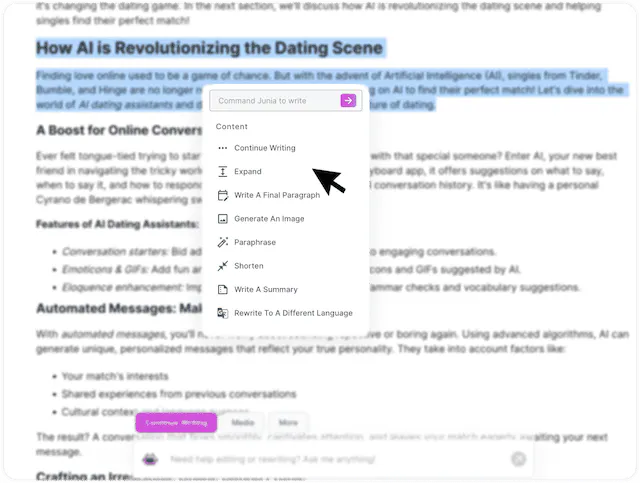
Notion AI can help you draft inside a page. Junia is built around the full content workflow: planning, writing, optimizing, and publishing. That matters if you are creating blog posts, comparison pages, landing pages, affiliate content, or SEO-driven articles where the draft needs to match search intent, not just sound fluent.
Junia AI is especially useful when you need an AI article writer that can move from a keyword or brief to a structured draft with headings, search-focused coverage, and optimization suggestions. For quick production work, you can also use a blog post generator instead of building every outline from scratch in a blank Notion page.
.png?token=eyJhbGciOiJIUzI1NiIsInR5cCI6IkpXVCJ9.eyJ1cmwiOiJ1c2VyLWdlbmVyYXRlZC1pbWFnZXMvZjJmOThkNWUtNjNjNC00MTJiLTkyY2QtZjgyNDI5NTE3YWRkL0dyb3VwIDM3NSAoMSkucG5nIiwiaWF0IjoxNjk5MzA0MzA5LCJleHAiOjE4NTY5ODQzMDl9.ZDguA0Hp_kIyB7t0OqHY7Z3ikm64Kpdq43Nggye9PLI)
Where Junia AI Beats Notion AI
Junia AI is a better fit when you care about the article's final performance, not just the writing experience. A content team can use it to create outlines, generate drafts, improve readability, optimize around target terms, and publish faster.
Its real advantage is focus. Notion AI is a workspace assistant. Junia AI is a content creation system. That difference shows up when you need to build repeatable workflows around SEO briefs, brand voice, long-form copy, and content calendars.
For example, a team can use Junia AI's content calendar generator to plan topics, the editor to draft articles, and the optimization workflow to polish each page before publishing. That is a more complete content process than asking Notion AI to write inside a workspace page and then moving the draft elsewhere.
Best For
Choose Junia AI if you want to replace Notion AI for:
- SEO blog posts
- Long-form content
- Product-led articles
- Content briefs
- Brand-consistent marketing copy
- Publishing workflows
- Search-focused writing at scale
Watch Out For
Junia AI is not trying to replace Notion as a general workspace. If you need task databases, company wikis, sprint planning, or personal notes, use Junia AI alongside a workspace tool rather than expecting it to become your all-in-one operating system.
2. Coda: Best for Docs That Behave Like Apps
Coda is the alternative I would check first if you like Notion's docs-and-databases idea but want more structure, formulas, and app-like behavior.
Notion is flexible, but Coda leans harder into tables, buttons, formulas, automations, and packs. That makes it useful for teams that want docs to do more than store information. A Coda doc can become a project tracker, CRM, content database, planning system, lightweight product roadmap, or internal tool.
Coda's official pricing page says Coda AI is included for paid Doc Makers, while editors and viewers are free. That pricing model can be attractive when a small group builds docs and a larger group only edits or views them.
Where Coda Beats Notion AI
Coda is stronger when your workspace needs logic.
Use Coda if you want to calculate fields, trigger automations, connect data, and build structured systems without moving into a full software platform. Notion databases are easier for many people to start with, but Coda becomes compelling when your doc needs to behave more like a working app.
Best For
Choose Coda if you need:
- Formula-heavy docs
- Team dashboards
- Internal planning tools
- Lightweight CRMs
- Product roadmaps
- Approval workflows
- Structured databases with automation
Watch Out For
Coda has more of a learning curve than Notion. If your team mostly wants simple notes, docs, and wiki pages, Coda may feel heavier than necessary.
3. ClickUp: Best for Project Management With AI
ClickUp is a better Notion AI alternative when the real pain is project management.
Notion can track projects, but ClickUp is built around tasks, owners, deadlines, dependencies, dashboards, goals, time tracking, workload views, and team accountability. Its AI features sit on top of a work management platform rather than a flexible document workspace.
According to ClickUp's pricing pages, AI is sold through separate AI plans or add-ons, so check current pricing before rolling it out across a large team. The bigger point is workflow fit: ClickUp makes sense when your team needs project execution more than a blank canvas.
Where ClickUp Beats Notion AI
ClickUp is stronger for teams that need to know:
- Who owns the task?
- What is blocked?
- What is overdue?
- Which sprint or campaign is this part of?
- How does this work show up on a dashboard?
Notion can model some of that with databases, but ClickUp gives you the project management layer by default.
Best For
Choose ClickUp if you need:
- Marketing calendars
- Agency workflows
- Product roadmaps
- Sprint planning
- Client task tracking
- Dashboards and workload views
- Docs connected to execution
Watch Out For
ClickUp can feel busy. If your team wants a calm writing and knowledge workspace, it may be too much. If your team keeps losing work inside flexible Notion pages, that structure may be exactly what you need.
4. Taskade: Best for AI-Native Workspaces and Agents
Taskade is a strong option if you are not just looking for a Notion-style workspace with AI attached. It is positioning itself around AI agents, app generation, automations, projects, and collaborative workspaces.
This is the biggest architectural difference. Notion AI helps inside Notion. Taskade is trying to make AI part of how workspaces, agents, and automations are created in the first place.
Taskade's official pricing page currently emphasizes AI credits, Genesis app building, agents, automations, and team workspaces. That makes it worth considering if your team wants a more AI-native setup rather than a traditional workspace with AI features added later.
Where Taskade Beats Notion AI
Taskade is more compelling when you want to build workflows from prompts, create agents, and connect projects to automation. It is less about polishing one document and more about turning work into a system.
For example, a content team could use Taskade to manage project stages and agents, while using Junia AI for the actual SEO article creation. A support team could use Taskade to build an internal workflow around tickets, updates, and knowledge.
Best For
Choose Taskade if you want:
- AI agents
- App generation from prompts
- Automated workflows
- Collaborative project spaces
- AI-assisted task planning
- A lower-friction experiment with AI-native workspaces
Watch Out For
Taskade's AI-native angle is exciting, but teams should still test it against real work. Agents and generated apps sound good in a demo; the test is whether they reduce manual handoffs after two weeks of normal use.
5. Microsoft Loop: Best for Microsoft 365 Teams
Microsoft Loop is the most practical Notion AI alternative for teams already living in Microsoft 365.
The reason is simple: adoption. If your company already uses Teams, Outlook, OneDrive, SharePoint, Word, and Microsoft 365 accounts, Loop can be easier to introduce than a separate workspace. Loop components can move across Microsoft apps, which is useful for collaborative planning, meeting follow-ups, and shared project notes.
Microsoft's support documentation explains that Loop access depends on Microsoft 365 subscription type, so this is not a standalone pricing decision in the same way as Coda or ClickUp. It is more about whether your company already pays for the Microsoft ecosystem.
Where Microsoft Loop Beats Notion AI
Loop is better when work already happens in Microsoft tools. Instead of asking employees to open another workspace, it lets teams collaborate inside familiar systems.
It is especially useful for:
- Meeting agendas
- Shared notes
- Action items
- Lightweight project pages
- Cross-functional planning
- Teams-based collaboration
Watch Out For
Loop is not as mature as Notion for building highly customized public-facing systems, personal dashboards, or creator-style knowledge hubs. It is best when Microsoft 365 is the center of gravity.
6. Slite: Best for Team Knowledge Bases
Slite is a cleaner option when your team wants a knowledge base, not a giant workspace.
Notion can become a wiki, but it can also become cluttered fast. Slite focuses more directly on company knowledge: documents, answers, onboarding content, policies, team processes, and searchable information. Its pricing page now describes Slite as an agent-powered knowledge base, which is a useful signal about where the product is going.
Where Slite Beats Notion AI
Slite is stronger when your team wants fewer decisions. You do not need to design a perfect workspace. You need a place where people can write reliable docs and find answers later.
That makes it useful for:
- Company handbooks
- Internal SOPs
- Onboarding docs
- Product knowledge bases
- Team policies
- Async updates
Watch Out For
Slite is not the best pick if you want a personal productivity system, custom databases, or deep project management. It is a knowledge base first.
7. Obsidian: Best Local-First Alternative for Personal Knowledge
Obsidian is the opposite of the cloud workspace trend in the best way.
Your notes are Markdown files. They live locally. You can organize them with folders, backlinks, tags, graph views, templates, plugins, and whatever system you like. Obsidian's official pricing page lists the core app as free for personal use, with paid options for commercial use and optional services.
If Notion feels too locked-in or too online for personal research, Obsidian is worth testing.
Where Obsidian Beats Notion AI
Obsidian wins on ownership and portability. You can keep your notes as plain files, sync them through your preferred setup, and extend the app with plugins. For researchers, writers, developers, and students, that can matter more than built-in AI.
It also works well if you use AI separately. For example, you can draft or analyze ideas in ChatGPT, then store your permanent notes in Obsidian. If you are turning research into article plans, a research summary generator can help compress source material before you decide what belongs in your vault.
Best For
Choose Obsidian if you want:
- Local Markdown notes
- Backlinks and graph views
- Plugin customization
- Long-term personal knowledge management
- Research notes
- Technical documentation
- Data portability
Watch Out For
Obsidian can become a hobby if you over-customize it. Start simple: folders, backlinks, search, and a few templates. Add plugins only when a real workflow needs them.
8. ChatGPT: Best General-Purpose AI Alternative
ChatGPT is the broadest Notion AI alternative because it is not tied to one workspace model.
You can use it for drafting, rewriting, research, coding help, spreadsheet analysis, file review, meeting follow-ups, brainstorming, translation, image work, and custom GPT workflows. OpenAI's official ChatGPT pricing page lists free and paid plans, including Plus, Pro, Business, and Enterprise options.
The big advantage is flexibility. The big downside is that flexibility becomes messy unless you create a repeatable workflow.
Where ChatGPT Beats Notion AI
ChatGPT is usually better when you want a powerful AI assistant outside a workspace. You can paste context from different sources, upload files, compare options, create prompts, and ask follow-up questions without first organizing everything in Notion.
It is especially useful for early thinking:
- Drafting a brief
- Comparing tools
- Turning notes into an outline
- Creating a first-pass strategy
- Simplifying complex information
- Translating or localizing text
- Reviewing a document before publishing
If your work is mostly writing, compare it with dedicated ChatGPT alternatives for writing, because a general chatbot and a focused writing platform solve different problems.
Watch Out For
ChatGPT will not automatically become your workspace. You still need a place to store decisions, publish content, manage tasks, and track ownership. For writing-heavy teams, pair it with a prompt generator or documented prompt library so the output does not change wildly from person to person.
9. HappyScribe: Best Notion AI Alternative for Meeting Notes
If you only use Notion AI for meeting notes, a dedicated transcription tool may be a better fit.
HappyScribe is built around meeting capture, transcripts, subtitles, translation, and media workflows. That is different from Notion's approach, where AI meeting notes live inside a broader workspace product.
This matters when you need to verify what was said. Text summaries are useful, but teams often need timestamps, playback, speaker context, file uploads, subtitle editing, or translation. A dedicated meeting tool gives you more control over the recording and review process.
Where HappyScribe Beats Notion AI
HappyScribe is stronger for:
- AI meeting notes
- Audio and video transcripts
- Speaker review
- Subtitles
- Translation
- Repurposing recorded calls
- Teams that need playback for verification
Watch Out For
HappyScribe is not a workspace replacement. It solves the meeting-notes problem, then you still need a place to store decisions and assign follow-up tasks.
How to Choose the Right Notion AI Alternative
The easiest way to choose is to ignore the feature lists for a moment and write down what you are actually replacing.
If you are replacing Notion AI for writing, pick Junia AI or ChatGPT. If you are replacing Notion as a workspace, compare Coda, ClickUp, Taskade, Loop, Slite, and Obsidian. If you are replacing AI meeting notes, test a dedicated transcription tool.
Here is the decision rule I would use:
| If your main problem is... | Choose... |
|---|---|
| "I need SEO-ready articles, not just drafts." | Junia AI |
| "Our docs need formulas, buttons, and structured workflows." | Coda |
| "Our team needs stronger task ownership and dashboards." | ClickUp |
| "We want to experiment with AI agents and generated apps." | Taskade |
| "Our company already works inside Microsoft 365." | Microsoft Loop |
| "We need a clean internal wiki." | Slite |
| "I want portable personal notes I control." | Obsidian |
| "I need one flexible AI assistant for many tasks." | ChatGPT |
| "Meeting transcripts and playback matter most." | HappyScribe |
Final Verdict
The best Notion AI alternative depends on which part of Notion AI feels limiting.
For SEO content creation, I would start with Junia AI because it is built for the work Notion AI only touches lightly: content briefs, long-form writing, optimization, and publishing. For teams replacing the workspace itself, Coda, ClickUp, Taskade, Microsoft Loop, and Slite are stronger candidates depending on how structured your work needs to be. For personal knowledge, Obsidian is still hard to beat. For general AI work, ChatGPT gives you the most flexibility.
The mistake is trying to find one app that replaces everything. Notion became popular because it could hold many kinds of work. But AI workflows are getting more specialized. In 2026, the better move is often to pick the tool that solves your main bottleneck clearly, then connect it to the rest of your stack.