
Back to Help Centre
How to write longer articles
Autoblog and the AI Article Writer already create full articles. Use Expand in the editor when you want a section, or the whole piece, to go deeper.
- Open the article in the editor.
- Highlight the text you want to grow.
- Choose Expand.
From keywords
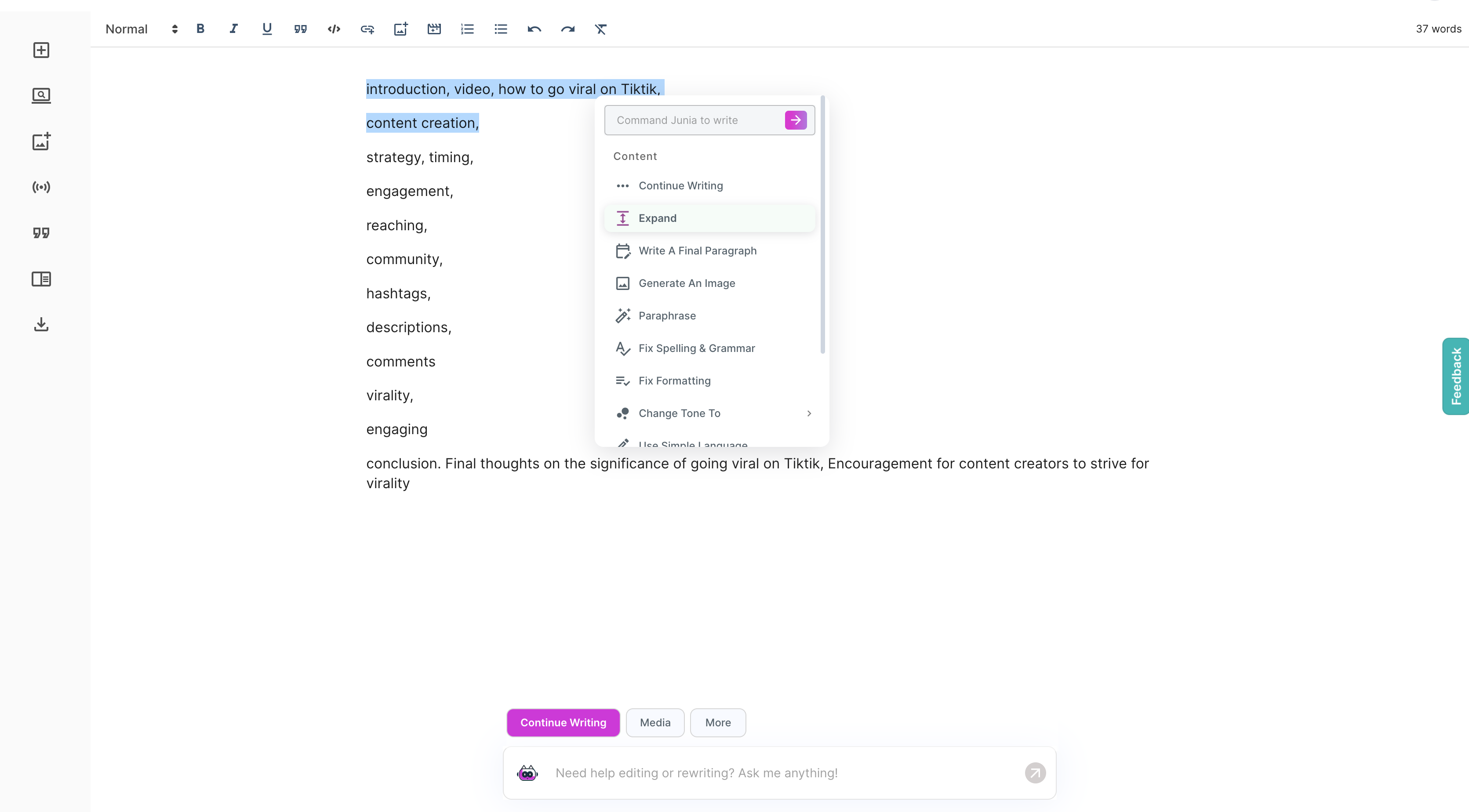
Type a few keywords, select them, and expand.
From an outline
Generate an outline in the AI Article Writer, paste it into the editor, highlight a section, and expand.
Paid plans can generate outlines without a separate limit.
From a draft
Open any Autoblog or Article Writer draft and expand thin sections. Apply Info Base first if the extra detail must stay accurate.
Need help?
Email support@junia.ai.
Related Articles
How to use the AI Article Writer
Write one SEO article at a time when you want more control than Autoblog.
How to add internal and external links automatically
Let Junia insert relevant links when it writes an article or runs Autoblog.
Publish your article
Publish from the editor, or let Autoblog publish on a schedule.