
5 AI Writing Tools That Integrate With Shopify

Yi
SEO Expert & AI Consultant

Shopify merchants do not need more generic AI copy. They need product descriptions, collection copy, blog posts, email snippets, and social posts that can move through a real store workflow without creating a cleanup problem. In my experience, the cleanup is where weak AI tools quietly become expensive.
The best AI writing tool for Shopify depends on where the bottleneck is. A small store may only need quick product descriptions inside Shopify. A larger catalog needs bulk generation, brand rules, metadata, review workflows, and content that can be reused across product pages, blogs, ads, and social campaigns.
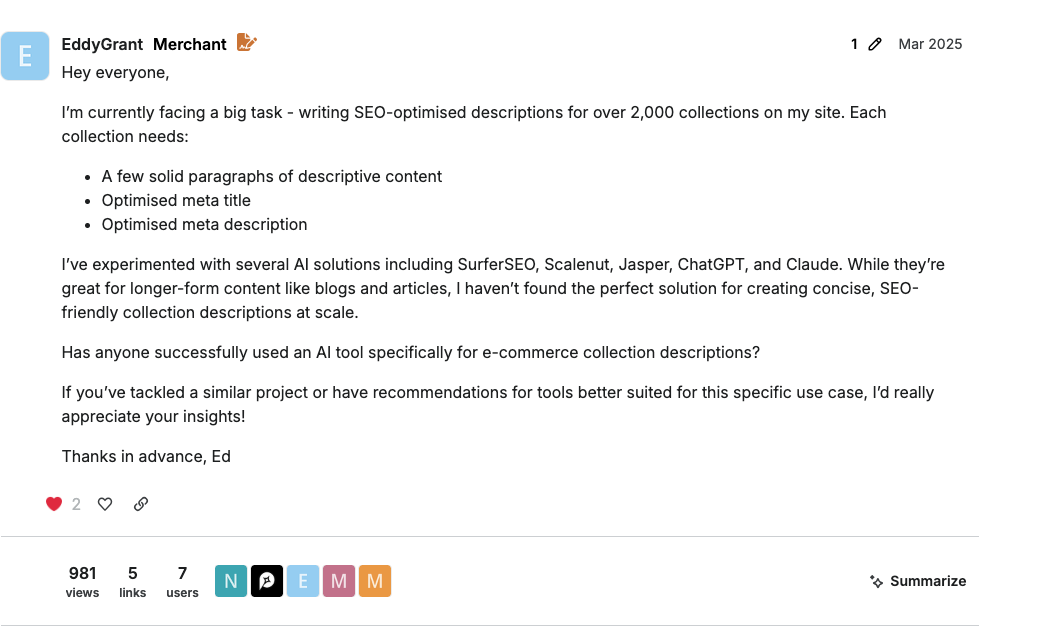
That scale problem shows up in real merchant discussions too. In one Shopify Community thread about writing 2,000+ collection descriptions, the useful answers pointed toward a combined workflow rather than one generic AI writer. That matches how I would approach it: first solve the product-data and review workflow, then use AI to speed up the writing.
TL;DR
If you want the strongest Shopify writing workflow, start with Junia AI for product descriptions and supporting blog content. It is the best fit when you want one tool for on-site ecommerce copy and organic content, not just short snippets.
For broader options:
| Tool | Best fit | Shopify use case | Watch out for |
|---|---|---|---|
| Junia AI | Product copy + SEO content | Product descriptions, blogs, landing page copy, publishing workflows | More depth than very small stores may need |
| TextCortex | Flexible marketing copy | Product descriptions, ads, emails, social captions | Output needs careful brand and fact review |
| Ocoya | Social planning | Campaign copy, content calendar, social scheduling | Better for promotion than core product pages |
| Simplified | Team collaboration | Templates, co-editing, campaign content | Less specialized for ecommerce SEO |
| Sococal.ai | Social media content | Post ideas, captions, hashtags, scheduling | Not a replacement for product-page copy |
Shopify's own Shopify Magic is the baseline to compare against. It can generate product descriptions inside Shopify, and Shopify's help docs explain that it uses details such as product title and keywords to suggest descriptions. That is useful. But once a store needs bulk workflows, stronger brand control, SEO planning, or long-form content, I would look beyond the built-in assistant.
What makes a Shopify AI writing tool worth using?
A Shopify writing tool should do more than produce a paragraph that sounds nice. Pleasant copy is easy. Useful product copy is harder.
For product pages, the copy has to explain what the product is, who it is for, what makes it different, and which details shoppers need before buying. For search, it also has to support product titles, descriptions, metadata, collection copy, and sometimes structured product data.
That matters beyond classic SEO. Shopify's own guidance on optimizing products for AI platforms says clear, accurate, detailed product information helps AI platforms and shopping sites understand and surface products. Google Merchant Center also relies on accurate product data to match products to the right queries.
So I would judge Shopify AI writing tools by seven things:
- Product description quality: Does the copy include real product details, benefits, specs, and buyer objections?
- Brand voice control: Can you keep copy consistent across hundreds of products?
- Shopify workflow fit: Can the tool publish, export, or work cleanly with Shopify content?
- Bulk generation: Can it handle a product backlog without making every item sound the same?
- SEO support: Does it help with titles, descriptions, keywords, internal links, and content structure?
- Review workflow: Can humans edit, approve, and improve the output before publishing?
- Channel coverage: Does it support blogs, email, ads, and social content when the store needs more than product pages?
Google's guidance on AI-generated content in Search is a useful guardrail here: AI can help with research and structure, but scaled AI pages without added value can violate spam policies. In practice, that means the tool should speed up drafting, not replace product knowledge and editorial review. I would rather publish fewer, better product pages than hundreds of thin descriptions that sound clean but say almost nothing.
1. Junia AI
%20(1).png?token=eyJhbGciOiJIUzI1NiIsInR5cCI6IkpXVCJ9.eyJ1cmwiOiJ1c2VyLWdlbmVyYXRlZC1pbWFnZXMvMThkMzIyMTQtYWZlNC00YmVjLTg2NTItOGU2ZDFiMDYyZTE5L0dyb3VwIDM3OSAoMSkgKDEpLnBuZyIsImlhdCI6MTcwMTgwOTA0MiwiZXhwIjoyMDE3MTY5MDQyfQ._6vlmGhHxk_7htnYK3x8BVxSGiUmJ5gH6mSIjl9SR_Q)
Junia AI is the best pick for Shopify merchants who want one writing system for product content and search-focused store content.
That distinction matters. Many AI copy tools can write a product blurb. Fewer can help with the surrounding content that makes ecommerce SEO work: collection introductions, comparison sections, blog posts, buying guides, landing page copy, and supporting educational articles.
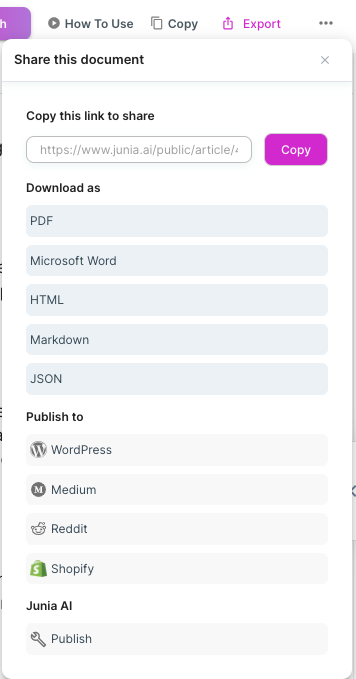
Junia fits stores that want to create product descriptions, blog posts, and broader marketing copy without jumping between disconnected tools. Ecommerce SEO still depends on both product pages and supporting informational content. I like this approach because it treats Shopify content as a system, not a pile of isolated descriptions.
Where Junia AI works best
Use Junia AI when your Shopify content plan includes:
- Product descriptions for new or refreshed items
- Collection page copy
- SEO blog posts around product use cases
- Buying guides and comparison pages
- Landing page sections
- Campaign copy that needs to match the same brand voice
For a store with many similar products, the biggest risk is repetition. A good AI workflow should help each page answer a slightly different buyer need. For example, two backpacks may share a material, but one page should focus on commuting, another on travel, and another on outdoor use. That is where stronger prompts, product details, and review standards matter. This is also where I see many Shopify AI workflows fail: they generate variation in wording, but not variation in buyer intent.
Pros
- Strong fit for product descriptions and long-form ecommerce content
- Useful for Shopify stores that also publish blog content
- Supports SEO-oriented workflows instead of only short copy generation
- Can help teams keep product copy, educational content, and campaign copy closer in tone
Cons
- Small stores with a handful of products may not need the full workflow
- Output still needs product verification, especially for specs, claims, dimensions, and compatibility
- The best results require clear inputs, not vague prompts
Best for
Choose Junia AI if your Shopify store needs product copy and organic content working together. If the main goal is to build a stronger content engine around the store, not just fill empty product description fields, Junia is the most complete option in this list.
2. TextCortex

TextCortex is better for flexible marketing copy than for a tightly controlled ecommerce SEO workflow.
It can help Shopify merchants draft product descriptions, emails, ads, social posts, and blog sections. The value is breadth: if you need a tool that can move between many copy formats, TextCortex is useful.
The tradeoff is that flexible tools usually need more human steering. If the product input is thin, the output may sound polished but generic. That is risky for stores where product pages need specific materials, sizes, use cases, care instructions, shipping notes, or compatibility details. Personally, I would only use a tool like this with a strong product brief in front of me.
Where TextCortex works best
TextCortex is useful when you need:
- First drafts of product copy
- Variations of ads or email snippets
- Social captions based on product launches
- Rewrites of existing copy into a clearer tone
- Short blog sections or campaign copy
If you use it for SEO, treat the draft as a starting point. A text expander can turn a short product note into a fuller draft, but the final copy still needs real product details and search intent.
Pros
- Good range of formats
- Helpful for repurposing store content into ads, emails, and social posts
- Useful when the team needs fast variations
- Can support early ideation before a human editor sharpens the copy
Cons
- Less specialized than store-first ecommerce writing tools
- Can produce generic copy if product data is weak
- SEO recommendations still need manual judgment
Best for
Choose TextCortex if your Shopify team needs a general marketing writing assistant across several channels and you already have a clear review process. It is a useful draft accelerator, not a replacement for ecommerce judgment.
3. Ocoya
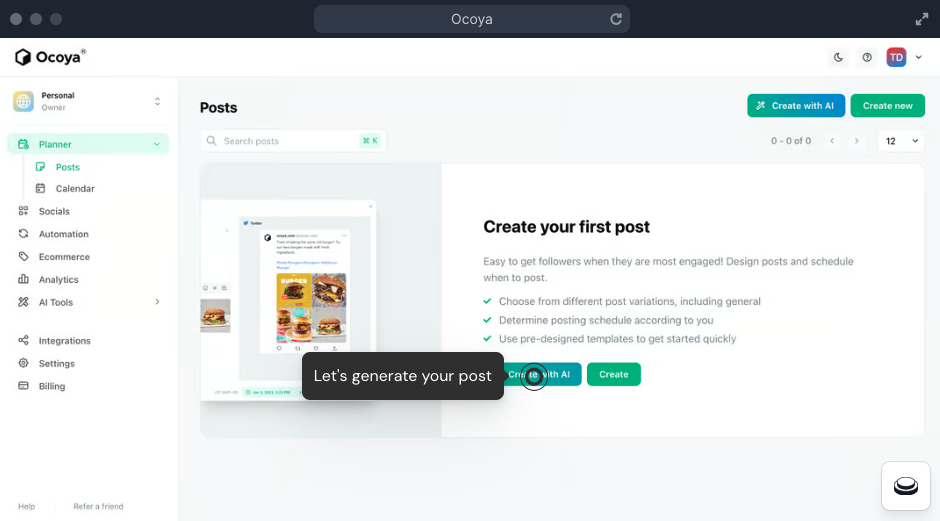
Ocoya is more of a content planning and social publishing tool than a pure Shopify product description writer.
That is not a bad thing. Many Shopify stores struggle after the product page is written. They need launch posts, promotional captions, seasonal campaigns, and a calendar that keeps the brand visible. Ocoya fits that workflow better than a blank document or a basic chatbot.
The limitation is product-page depth. If your biggest problem is rewriting 800 product descriptions with accurate specs and SEO metadata, Ocoya is not the first tool I would choose. If your problem is keeping campaigns organized across channels, it becomes more relevant.
Where Ocoya works best
Use Ocoya for:
- Campaign planning
- Social posts tied to Shopify products
- Content calendar management
- Team collaboration around promotions
- Repurposing product launches into social content
For stores that publish consistently, scheduling matters. But social planning should not distract from the product pages themselves. If the product description is thin, even the best promotional calendar sends shoppers to a weak page.
Pros
- Stronger for campaign workflow than one-off writing
- Useful for social scheduling and planning
- Helps teams organize promotional content
- Good fit for stores with frequent launches or seasonal campaigns
Cons
- Not the strongest option for core product descriptions
- Less useful if your main problem is product data quality
- AI output needs editing before it represents the brand publicly
Best for
Choose Ocoya if Shopify is one piece of a broader social commerce workflow and your team needs planning, scheduling, and campaign content more than deep product-page optimization.
4. Simplified
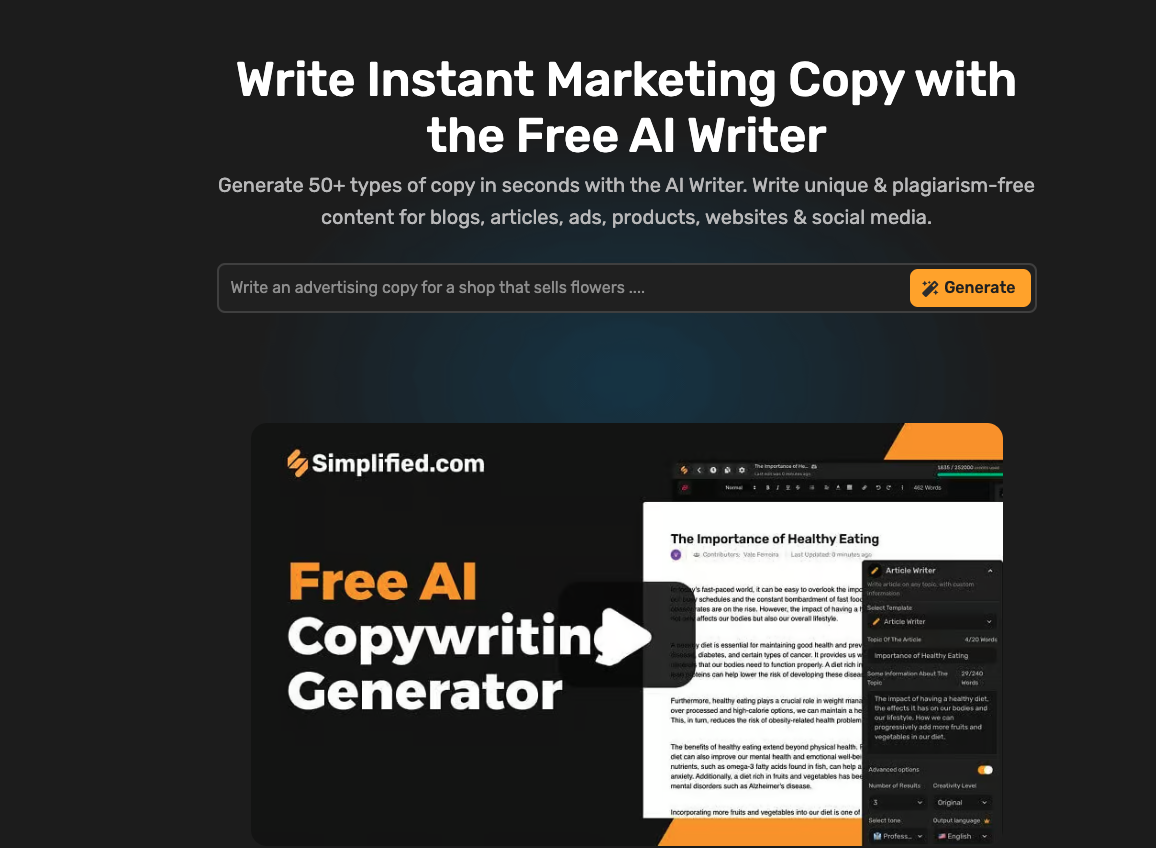
Simplified is useful when several people touch Shopify content and the team needs templates, editing, design, and collaboration in one place.
That makes it a practical choice for stores where product launches involve marketers, designers, founders, freelancers, and social managers. Instead of treating copy as a solo writing task, Simplified makes it easier to produce campaign assets together.
The drawback is specialization. Collaboration features are helpful, but they do not automatically produce better product descriptions. You still need a clear product brief, brand rules, and a final editor who can remove generic AI phrasing. I have seen otherwise decent campaign tools fall apart here because the team mistakes a smooth workflow for a strong message.
Where Simplified works best
Use Simplified for:
- Team-based campaign creation
- Product launch assets
- Social graphics and captions
- Template-based marketing content
- Collaborative editing
This is the kind of tool that can help a store move faster when content is scattered across docs, design tools, and chat threads. It is less compelling if your main need is technical ecommerce SEO or bulk product optimization.
Pros
- Good for teams and collaborative workflows
- Useful template library
- Helps connect copy and visual content production
- Easier for non-specialists to contribute
Cons
- Not as focused on Shopify product-page SEO
- Brand control depends heavily on team process
- Can produce template-like copy if users rely too much on presets
Best for
Choose Simplified if your Shopify content work is highly collaborative and you want a shared workspace for campaign copy, design, and editing.
5. Sococal.ai
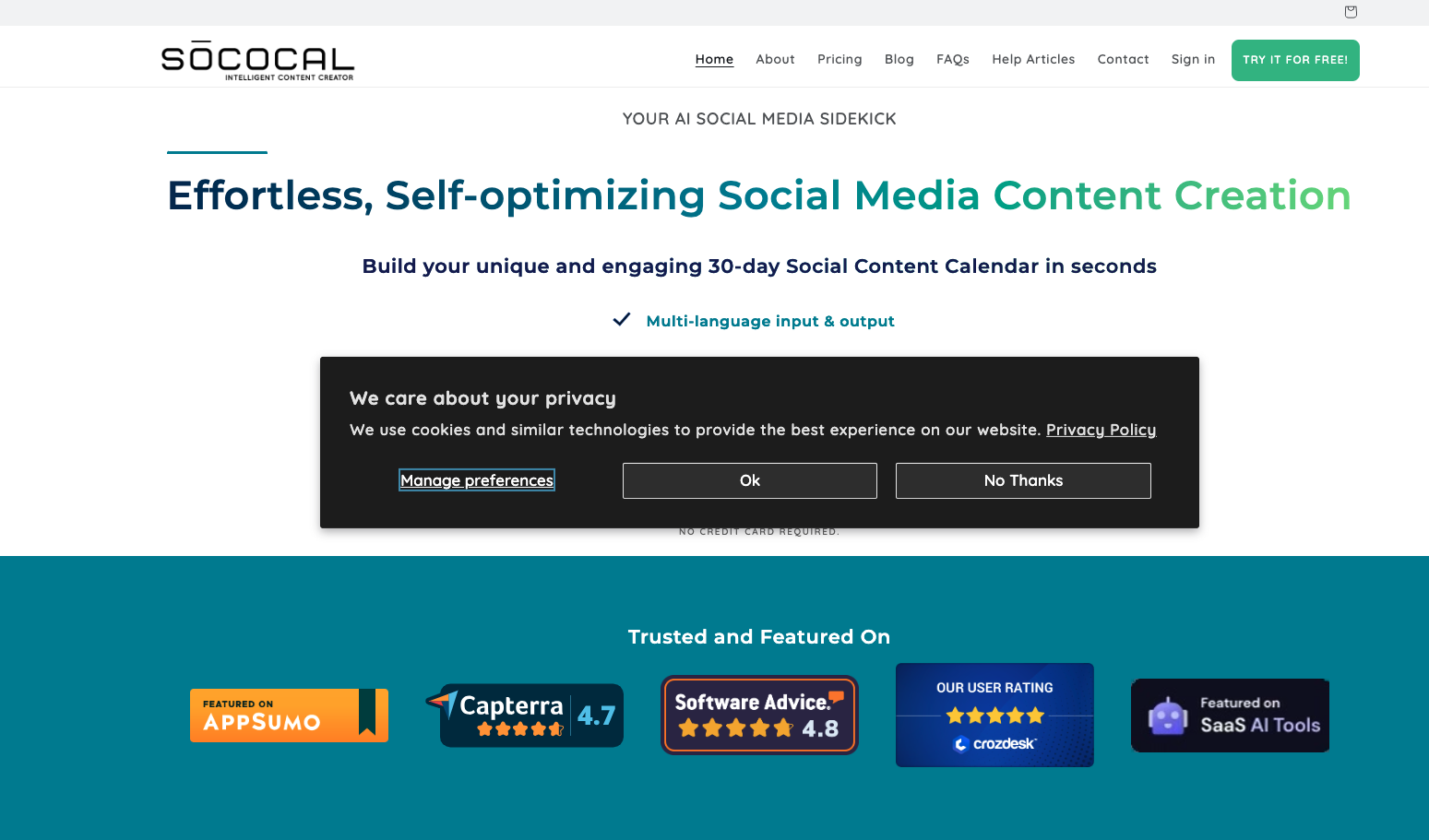
Sococal.ai is best understood as a social media assistant for ecommerce brands.
It can help with post ideas, captions, hashtags, scheduling, and social content planning. That is useful for Shopify merchants who already have product pages covered and want to promote products more consistently.
It is not the tool I would use as the center of a Shopify writing stack. Social posts need a different structure from product descriptions. A good Instagram caption can create attention, but it will not fix missing product specifications, weak category copy, or thin SEO content.
Where Sococal.ai works best
Use Sococal.ai for:
- Social media captions
- Product launch posts
- Hashtag ideas
- Content scheduling
- Campaign variations for different social channels
If visuals are a major part of your workflow, an image caption generator can help turn product images into usable social copy. Image descriptions are useful too, but the final text still needs to describe the actual product and avoid inventing details.
Pros
- Useful for social promotion
- Helps generate ideas when the team needs regular posts
- Can support launch calendars and campaign consistency
- Good fit for visually driven stores
Cons
- Weak fit for primary product-page writing
- Social-first output can be too lightweight for SEO pages
- Requires brand review before publishing
Best for
Choose Sococal.ai if your Shopify store already has strong product copy and needs a faster way to plan and publish social content around those products.
Shopify Magic vs third-party AI writing tools
Shopify Magic is useful because it is already inside Shopify. If you need a quick description for one product, that convenience is hard to beat.
But built-in convenience is not the same as a full content workflow.
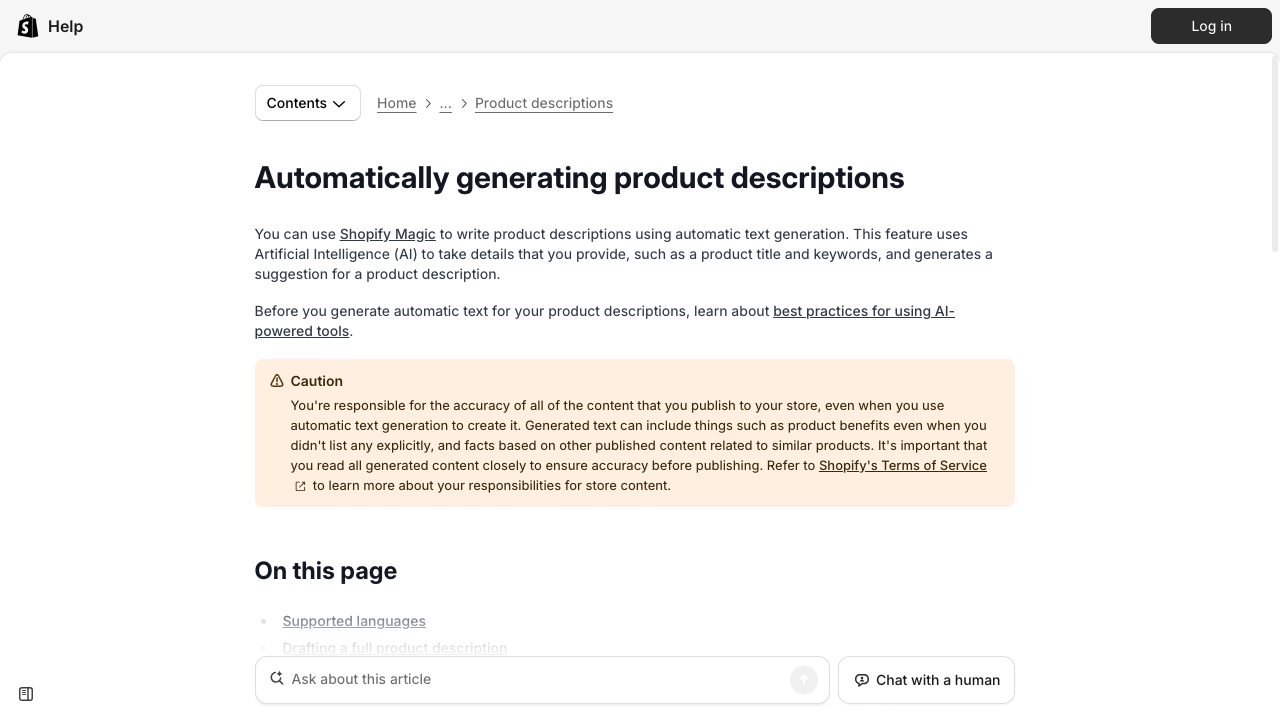
Shopify's own walkthrough of Magic product descriptions is worth watching if you have never used the admin field:
Shopify AI: How to automatically write product descriptions with Shopify Magic
Do not generate 10,000 thin SKUs. If two descriptions only swap the product name, you did not scale a catalog. You scaled a ranking and returns problem. I would rather rewrite 80 money pages with real attributes than flood the store with near-duplicates.
Use Shopify Magic when:
- You need a quick first draft inside the Shopify admin
- You have only a small number of products
- Your product details are already complete
- You want something better than an empty description field
Use a third-party AI writing tool when:
- You need to write or refresh many products
- You want stronger brand voice controls
- You need blog posts, landing pages, emails, or social copy too
- You need SEO support beyond one product description
- Multiple people review content before it goes live
The practical rule is simple: Shopify Magic is good for speed inside Shopify. A stronger writing platform is better when content quality, scale, SEO, and brand consistency matter more than generating one description quickly. My bias is to use Shopify Magic for quick gaps, then move to a deeper tool once content becomes a repeatable growth channel.
How to choose the right Shopify AI writing tool
Start with the actual bottleneck. This sounds obvious, but it prevents a lot of bad software choices.
If your product pages are empty or thin, prioritize product description quality. If your descriptions are decent but search traffic is weak, look at collection copy, internal linking, blog content, and SEO product descriptions. If your team keeps missing launches, look for collaboration and scheduling features. Buying the most powerful AI writer will not fix the wrong bottleneck.
Here is the simplest decision framework:
| If your problem is... | Choose a tool that prioritizes... |
|---|---|
| Empty product descriptions | Product copy generation and editing |
| Hundreds of similar products | Bulk generation and variation control |
| Weak organic traffic | SEO briefs, metadata, internal links, and blog workflows |
| Inconsistent tone | Brand voice rules and reusable prompts |
| Slow approvals | Collaboration and review workflows |
| Poor social consistency | Scheduling, captions, hashtags, and campaign planning |
For most Shopify stores, I would not rely on one-click AI output. A better workflow looks like this:
- Gather product facts: material, dimensions, use cases, care instructions, variants, audience, and differentiators.
- Generate the first draft with the AI tool.
- Edit for accuracy and specificity.
- Add SEO details only where they help the shopper.
- Check product metadata and collection context.
- Reuse the strongest angles in email, ads, and social posts.
If you are building a broader store content strategy, AI content for ecommerce should support product pages, not bury them under generic blog content. The goal is to make the store easier to understand, compare, and trust. I would treat every blog post, collection page, and email as a support beam for the product catalog, not as content produced for its own sake.
Common mistakes to avoid
The first mistake is letting AI invent product details. Never publish generated dimensions, materials, compatibility notes, certifications, or performance claims unless they come from your real product data. This is the fastest way to turn a writing shortcut into a customer-support problem.
The second mistake is using the same prompt for every product. Similar products need different angles. One product may need durability copy, another needs giftability, and another needs technical specifications.
The third mistake is ignoring brand voice. If every page sounds like a generic marketplace listing, shoppers will not remember the store. A clear brand voice standard helps keep product pages, ads, and emails consistent.
The fourth mistake is treating AI copy as SEO by default. Search-friendly product copy still needs clear titles, useful descriptions, real attributes, and helpful supporting content. Audits, schema, and technical checks belong in a Shopify SEO tool stack, not in the product-description prompt.
The fifth mistake is skipping human review. AI is useful for speed, but the final page should still sound like a merchant who understands the product and the customer. That last pass is where bland copy becomes credible.
What I would actually buy for a Shopify store
The best Shopify AI writing tool is the one that fits your store workflow.
If you need product descriptions plus SEO content, Junia AI is the strongest pick because it supports more of the ecommerce content system. If you mainly need flexible copy across channels, TextCortex is worth testing. If the bottleneck is social planning, Ocoya or Sococal.ai may fit better. If the work is highly collaborative, Simplified is the more natural choice.
Do not judge these tools by how fast they create words. Judge them by how much usable copy is left after someone who knows the product has edited it. That is the test I would use before committing to any of them.